Photo to game sprite.
Upload a photo and get a game-ready sprite in minutes — a 4-direction walk-cycle pack (4×4 sheet, transparent frames, and walking GIFs) that drops straight into Godot, Unity, or the web. $5 a sprite.
How to turn a photo into a game sprite
There are a few ways to make a sprite from a photo, and most are a pain: hand-pixel it in Aseprite (hours of work), run a generic image-to-pixel filter (it mangles the person), or describe a character to a text-prompt AI tool (you get a sprite, not your person). PixelForge starts from the actual photo and keeps the cues that make someone recognizable at 48 pixels, then hands back clean, engine-ready files — not a raw model dump.
Upload a photo
One clear, front-facing portrait of a single person.
We forge + QA it
An AI model generates the sheet; deterministic code cleans and aligns it.
Download the ZIP
Sheet, frames, strips, and walk GIFs — drop it straight into your engine.
Your photo, in the game.
 → your sprite
That's the founder's actual photo and the actual pack it produced — the same pipeline every customer runs through. The sprite keeps what reads at game scale: hair, glasses, shirt color, build. It's a stylized likeness, not a photocopy, and that's what makes it work at 48 pixels.
Exactly what's in the $5 pack
Every pack ships the same layout at two sizes, so you never rescale pixel art by hand: 96px frames (a 384×384 sheet) for modern displays and close-ups, and 48px frames (a 192×192 sheet) that drop straight onto classic 48px tile grids.
What the forge actually does
Two stages, on purpose. First an image model generates the 4×4 sheet from your photo plus our approved style/layout reference — that's what keeps the likeness. Then deterministic code takes over: it strips the key-color background, extracts and re-centers all 16 frames, aligns the feet to a common baseline so your character doesn't bob when it walks, and mirrors the RIGHT-facing row into a clean LEFT row (image models are notorious for collapsing the two side rows into the same direction — we don't leave that to chance).
Drop it into your engine
The pack is plain transparent PNGs in a predictable grid, so it works anywhere sprites work. We keep step-by-step guides for the popular ones:
- Godot — AnimatedSprite2D + SpriteFrames, sliced 4×4 (full import walkthrough).
- Unity — Sprite Editor grid slice, Point filtering, four animation clips (full import walkthrough).
- Phaser —
load.spritesheetwith 96×96 frames and four anims, about ten lines total. - RPG Maker — the 48px frames match MV/MZ's 48px cells; five minutes of rearranging, recipe included.
What photo works best
- One person, facing the camera. Group shots and profiles are rejected by the pre-pay checker, not after you've paid.
- Waist-up or closer. The model infers legs and shoes fine; it can't infer a face it can't see.
- Even light beats fancy light. Hard shadows across the face read as features at sprite scale.
- Distinctive beats formal. The hoodie, the glasses, the hair — that's what survives 48px. Costume encouraged.
Photo to sprite, the honest way
Plenty of tools now accept a photo. The difference is what comes out: most return a single static frame, while PixelForge returns a recognizable character you can actually move in four directions. If you're comparing options, we keep an honest comparison of photo-to-sprite tools up to date.
| PixelForge | Filter / text-prompt tools | |
|---|---|---|
| Starts from | your real photo | a prompt or a blunt filter |
| Output | a 4-direction walk pack | one static frame or a raw sheet |
| Engine-ready | transparent PNG + sliced frames | usually not |
| Pricing | one-time $5, no subscription | credits / monthly plans |
Works on any photo
You, a friend, a teammate, your favorite streamer — one photo each becomes a playable character sprite. Cast your whole party: the four sprites below really are one family — the founder's — four photos, four packs, one consistent style.
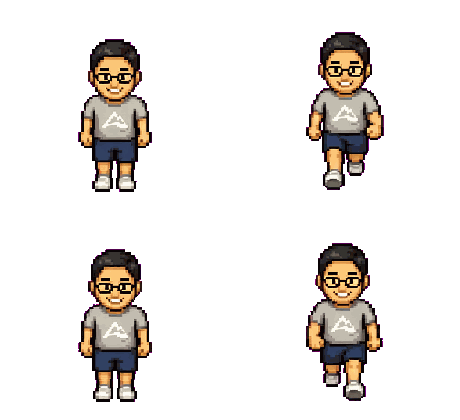
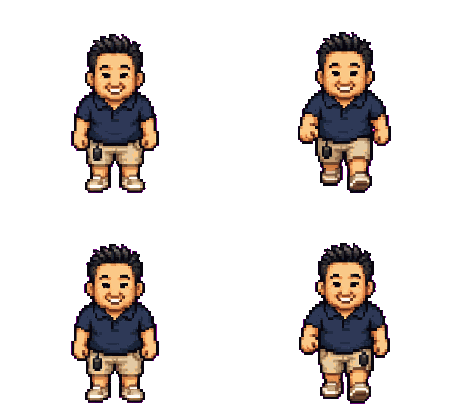
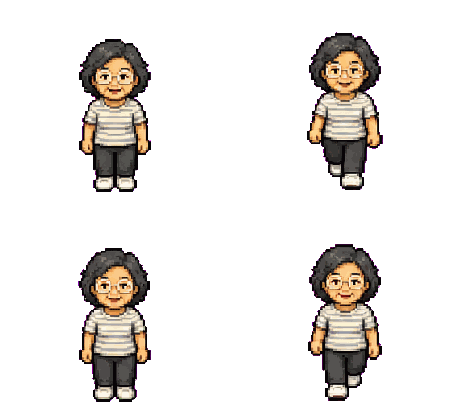
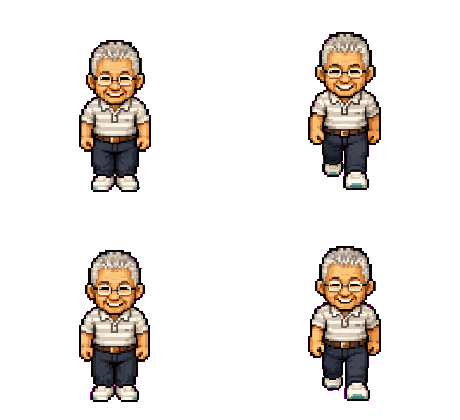
Want proof it holds up in motion? Every character in Stonk Runner, our free browser game, is a real PixelForge pack doing its day job.
Frequently asked questions
Upload one clear, front-facing photo. PixelForge generates a 4×4 sprite sheet, removes the background, aligns the feet, and packages a 4-direction walk-cycle sprite you can drop into your engine.
Yes — that's the whole point. We keep what reads at sprite size (hair, glasses, shirt color, body shape) so it actually looks like you.
Transparent PNGs at two sizes: 96×96 frames (384×384 sheet) and 48×48 frames (192×192 sheet), plus per-direction strips and looping walk GIFs — engine-agnostic, ready for Godot, Unity, Phaser, RPG Maker, or the web.
Yes — the pack is yours to ship in commercial and non-commercial games, with no per-title or royalty fees. See our commercial use & licensing page for the details.
One clear, front-facing portrait of a single person. Avoid group shots, tiny distant people, and heavy blur — our checker rejects no-face and multi-face photos before you pay.
$5 per sprite, one-time. No account or subscription, and you're refunded if a pack fails QA (handled manually during beta).
Put anyone into your game.
$5 · one photo · 4-direction walk pack · no subscription
Make a sprite — $5